


Last data update: 2026-08-02
Manual mode!
Manual mode explanation

How to display the Sprite's skill bar?
Summon your Sprite.
(Make sure you have completed the 3 required quests beforehand.)
- Home page with the 3 quests (view)
Open the Sprite interface.
It appears automatically once the Sprite is summoned.
Click the down arrow.
(As shown in the screenshot.)

You just set your Sprite to automatic mode!
- To learn more about this mode and how to use it in detail, here is the link to the full tutorial: (view)
For this tutorial, we'll stick to manual mode!

Next, click your Sprite's head to switch it to manual mode, as shown in the image above.

Here is manual mode: in the image above you can see different skills.
Each skill is clickable—you decide when and how to use them.
Only a few basic skills are available from the start.
I'll show you how to get them!

Here's how to access your Sprite's skills interface!

The different skill levels.
In this interface, you will find 3 skill levels.
In the image above, from top to bottom:
🟢 ➜ Green arrow: corresponds to advanced Sprite skills.
🔴➜ Red arrow: corresponds to intermediate Sprite skills.
🟡➜ Yellow arrow: corresponds to beginner Sprite skills.
That means it isn't activated.
A bit later in this tutorial, I'll show you how to activate it.
Finally, the 🟤➜ brown arrow indicates the skills I have activated for my Sprite.
These are the ones that will appear in the combat interface.

In this section (circled in red), you can upgrade your Sprite's skills according to their level.
(Remember the arrow explanation above: each skill level has its own section.)
With these upgrades, you can:
➜ increase a skill's effect duration,
➜ improve certain stats,
➜ or strengthen various combat effects.
For this you'll need skill points.
There are 2 methods in-game to obtain them:

You can sacrifice gear in the section circled in red to obtain points.
It works like an experience system:
🟥 Red squares → indicate the experience bar.
🟡➜ Yellow arrows → show where to sacrifice your gear.
The gear you sacrifice to gain experience is permanently lost!
The other method:
Through stones (shown below) that you can obtain via certain quests or through alchemy.
 Novice Sprite Skill Stone of InsightIntermediate Sprite Skill Stone of InsightAdvanced Sprite Skill Stone of Insight
In alchemy:


After obtaining enough points, here is how to upgrade a skill.
Before the upgrade, the skill had a duration penalty of 3.5 seconds.
After the upgrade, it remains active for up to 4 seconds.
How to obtain skills?
Skill books are classified in the same category as the stones (expert, intermediate, and beginner).
You can find them:
In o-alchemy

Here is the box in detail:
 Master Nanco's Gift Box
You can also obtain a special box inside a bag.
This bag may contain skill books and drops after completing a time trial challenge, after exchanging the obtained item for a bag: Frenzied Wild Boars !
 Advanced Spirit Combo Pack
 Ninja Treasure Bag
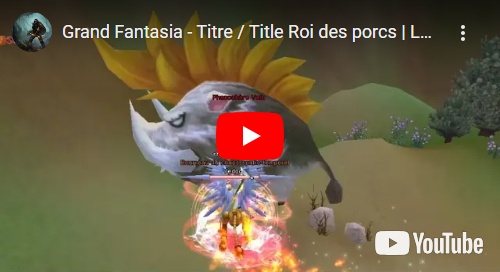
Here is the video to complete the challenge
In m-alchemy.

With NPC Nanco (Sprite's Forest x:293; y:660)

Also available in the Auction House

How to activate your books after obtaining them?
It's super simple!
Just right-click it, then you'll find it in your Sprite's skills menu.

 Mission
  Unlocking Dungeons
 Titles
 Pandemonium - Fort Boyaux
  Archive
 Trivia
  Timed Event